


Complete Steps to Open a PSX Trading Account in Pakistan
If you have ever wanted to own a slice of companies like the banks, fertiliser producers, cement makers and energy firms listed in Pakistan, the path runs through a trading account on the Pakistan Stock Exchange (PSX). The good news is that the process is far simpler than it was a decade ago: much of it is now online, biometric verification has replaced piles of paper, and there are account types designed specifically for first-time and small investors.
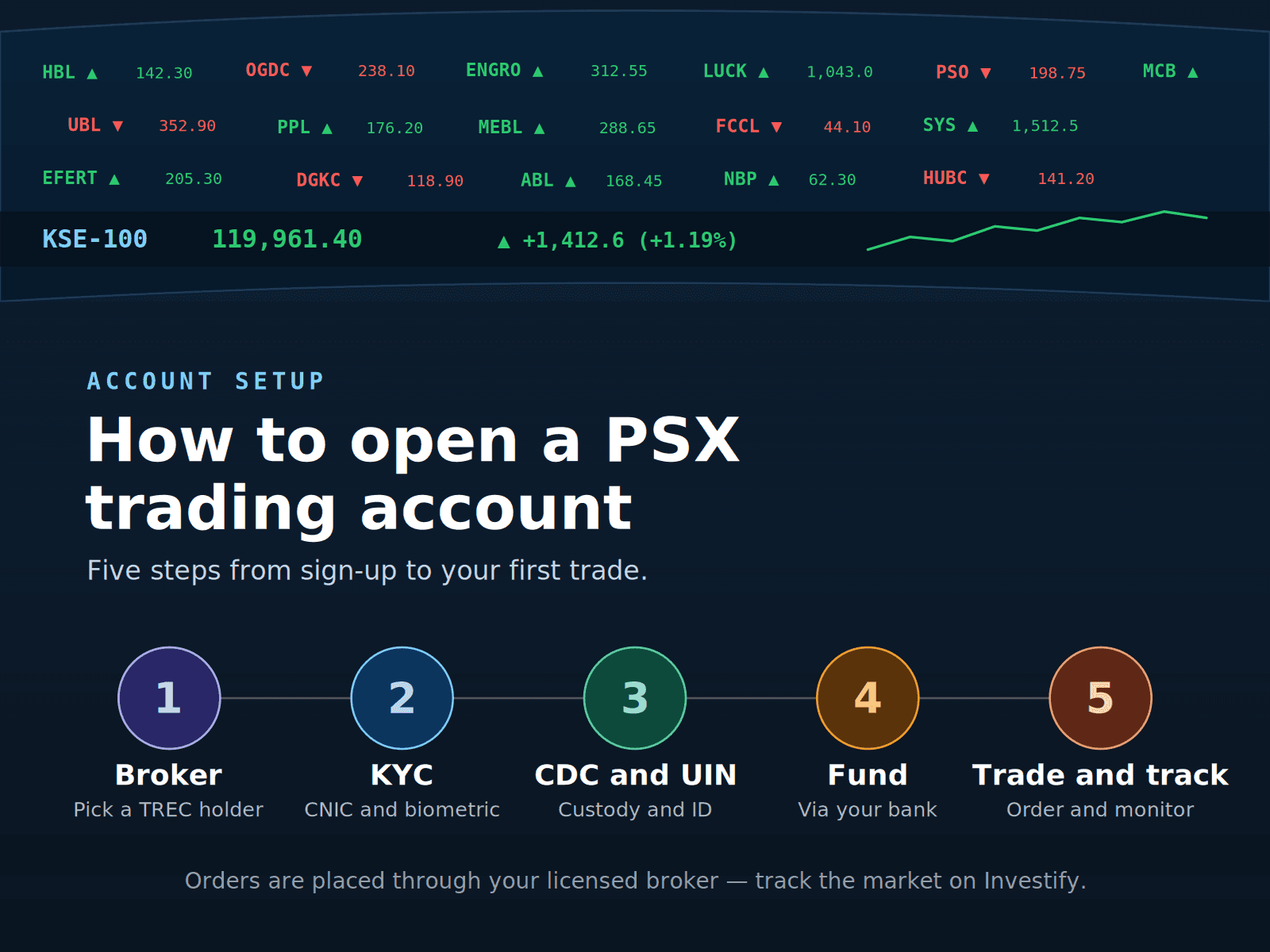
This guide walks you through the whole journey in plain language: the three main account types you can choose from, how to pick a licensed broker, the documents and KYC you need, how CDC and NCCPL fit in behind the scenes, how to fund your account, and how to place your first real order. It is written for Pakistani investors and stays specific to how PSX works in practice.
Key takeaways
- To trade on PSX you need an account with a licensed broker: a TREC holder regulated by the SECP. You cannot trade directly with the exchange yourself.
- There are broadly three routes: the Sahulat Account for smaller resident investors, the standard trading account for fuller resident access, and the Roshan Digital Account / Roshan Equity Investment route for overseas Pakistanis.
- Opening a brokerage account also opens a CDC sub-account where your shares are held electronically, and you get a UIN from NCCPL that tags your trades.
- Funding is done through banking channels, not cash, and real buy/sell orders go through your broker, not through any third-party data app.
- After your account is approved, you can use Investify to watch the PSX market, study stock pages and charts, build watchlists, track your portfolio, and follow news and announcements while your trades are executed on your broker's platform.
First, understand the PSX ecosystem
Before the account types make sense, it helps to know the four institutions you will keep hearing about:
- PSX (Pakistan Stock Exchange) is the marketplace where shares of listed companies are bought and sold.
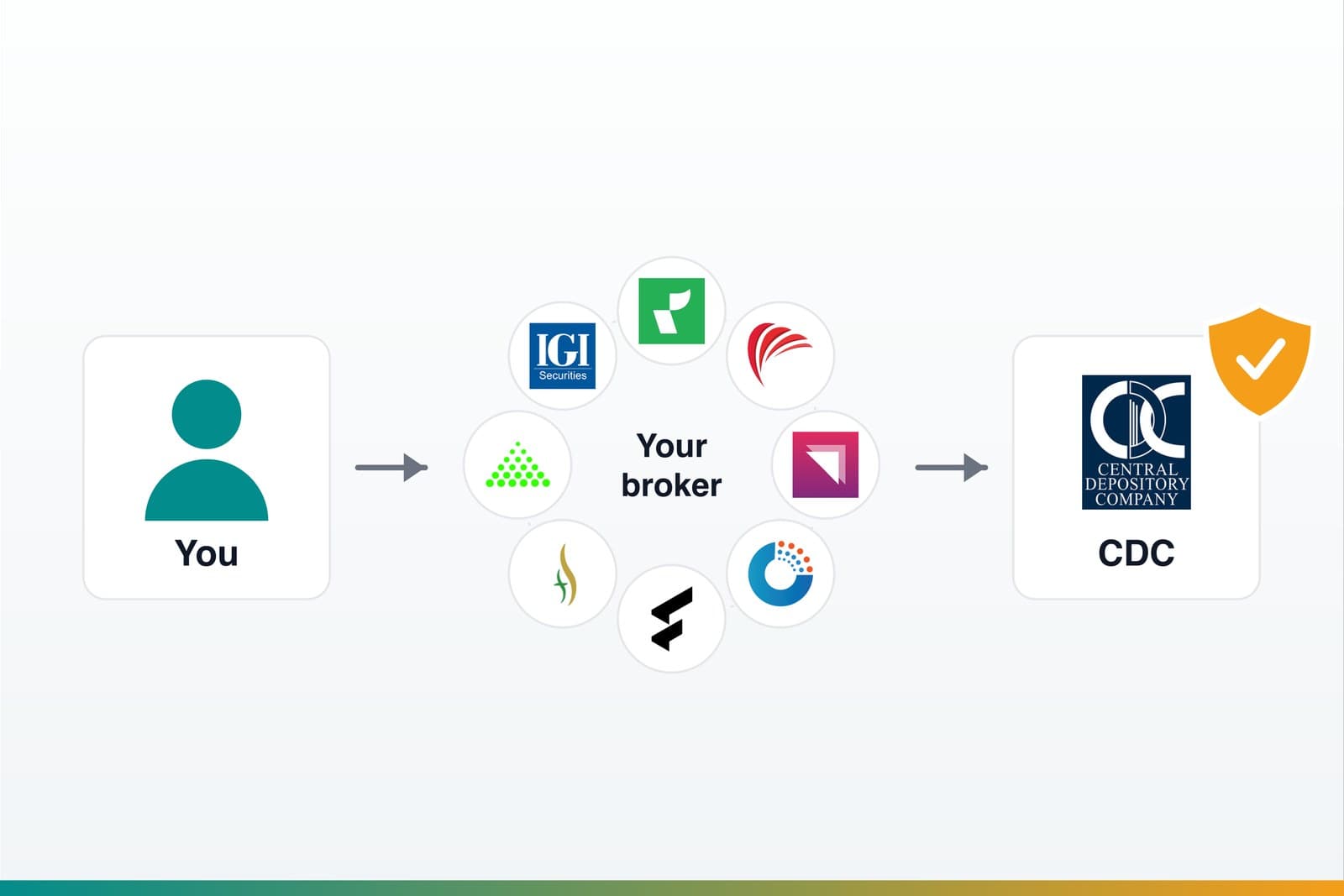
- Broker / TREC holder is the licensed firm through which you actually place orders. PSX has many such brokerage houses, and you must trade through one of them.
- CDC (Central Depository Company) is where your shares live in electronic, book-entry form. When you buy, shares are credited to your CDC sub-account; when you sell, they are debited.
- NCCPL (National Clearing Company of Pakistan Limited) is the clearing and settlement engine. It settles the money and shares for each trade, issues your UIN (Unique Identification Number), and also acts as the CKO (Centralized KYC Organization) that holds your verified KYC record.
The practical upshot: when you "open a trading account," you are really setting up a small cluster of linked things: a brokerage account, a CDC sub-account, and a UIN, usually through one application with your broker.
The three account types on PSX
Most Pakistani investors will choose between three routes. Picking the right one upfront saves time and avoids re-doing paperwork.
1. The Sahulat Account
The Sahulat Account was introduced to make it quicker and simpler for ordinary resident Pakistanis to start investing. It is the lightest-touch option, and it is the one many beginners consider first.
Key features to understand:
- It can only be opened by resident Pakistani individuals, and only with brokers acting as authorised intermediaries.
- It has a capped investment limit set by the regulator. PSX's current Sahulat guidance states that the per-Sahulat-account limit is PKR 3 million.
- Investors can now open Sahulat Accounts with multiple securities brokers, but each investor can only open one Sahulat Account with each broker.
- It is restricted to the Ready Delivery cash market. No derivatives and no leveraged products like futures.
- Onboarding is typically faster and needs less documentation, because the profile is simpler.
In short: simplified paperwork, a PKR 3 million per-account ceiling, one Sahulat account per broker, cash market only, and a quicker onboarding path. It can be a sensible first step if you want to learn the ropes with a modest amount.
2. The standard trading account
This is the full-feature account most active investors eventually use. It does not carry the Sahulat investment ceiling, so it suits anyone planning to invest larger sums or use the broader product range a broker offers.
What distinguishes it:
- No regulator-imposed investment cap of the Sahulat kind. Your scale is limited by your own funds and your broker's rules.
- It usually gives more flexibility than a Sahulat account if you expect to go beyond the simplified-account limits or need broader product access.
- It generally gives access to the fuller range of markets and products your broker supports.
- It usually requires more documentation and a slightly longer processing time than Sahulat, because the KYC profile is more complete.
If you are reasonably confident about investing more than the Sahulat per-account ceiling, or you want flexibility beyond the simplified account, the standard account is the natural choice.
3. The Roshan Digital Account / Roshan Equity Investment route
If you are a Non-Resident Pakistani (NRP), you do not use the resident onboarding routes above. Instead, you go through the Roshan Digital Account (RDA), which lets overseas Pakistanis open a PKR bank account online through designated banks.
Once the RDA is open, you activate the Roshan Equity Investment (REI) option to invest in PSX:
- Open or log in to your RDA with an SBP-designated bank.
- In the bank's portal or app, select the Roshan Equity Investment / Pakistan Stock Exchange option.
- Choose a designated brokerage house from the integrated list and accept the terms.
- The bank shares your details with CDC for custody setup and NCCPL for UIN creation; your chosen broker completes its own checks and confirms the trading account.
- Transfer funds from your RDA bank account into the relevant stock-market account, and you are ready to invest.
Through REI, overseas Pakistanis can invest in PSX securities through the official RDA workflow. We cover this route end to end - eligibility, banks, taxes and repatriation - in our dedicated guide to investing in PSX through the Roshan Digital Account. Confirm the current eligible instruments, bank process and broker list from official RDA, PSX, CDC and bank sources before opening the account.
Step 1: Choose a licensed broker
You can only invest through an active TREC holder / brokerage firm recognised by PSX and licensed by SECP. There are many to choose from, including long-established houses and newer app-first brokers. Any broker names you hear from friends, online discussions or ads should be treated as starting points for your own comparison, not as recommendations.
Sensible factors to weigh when shortlisting:
- Licensing status: confirm the firm is an active TREC holder. PSX publishes broker information, and many firms now offer online account opening.
- Platform quality: is the trading app or web platform stable, easy to use, and clear enough for your order workflow?
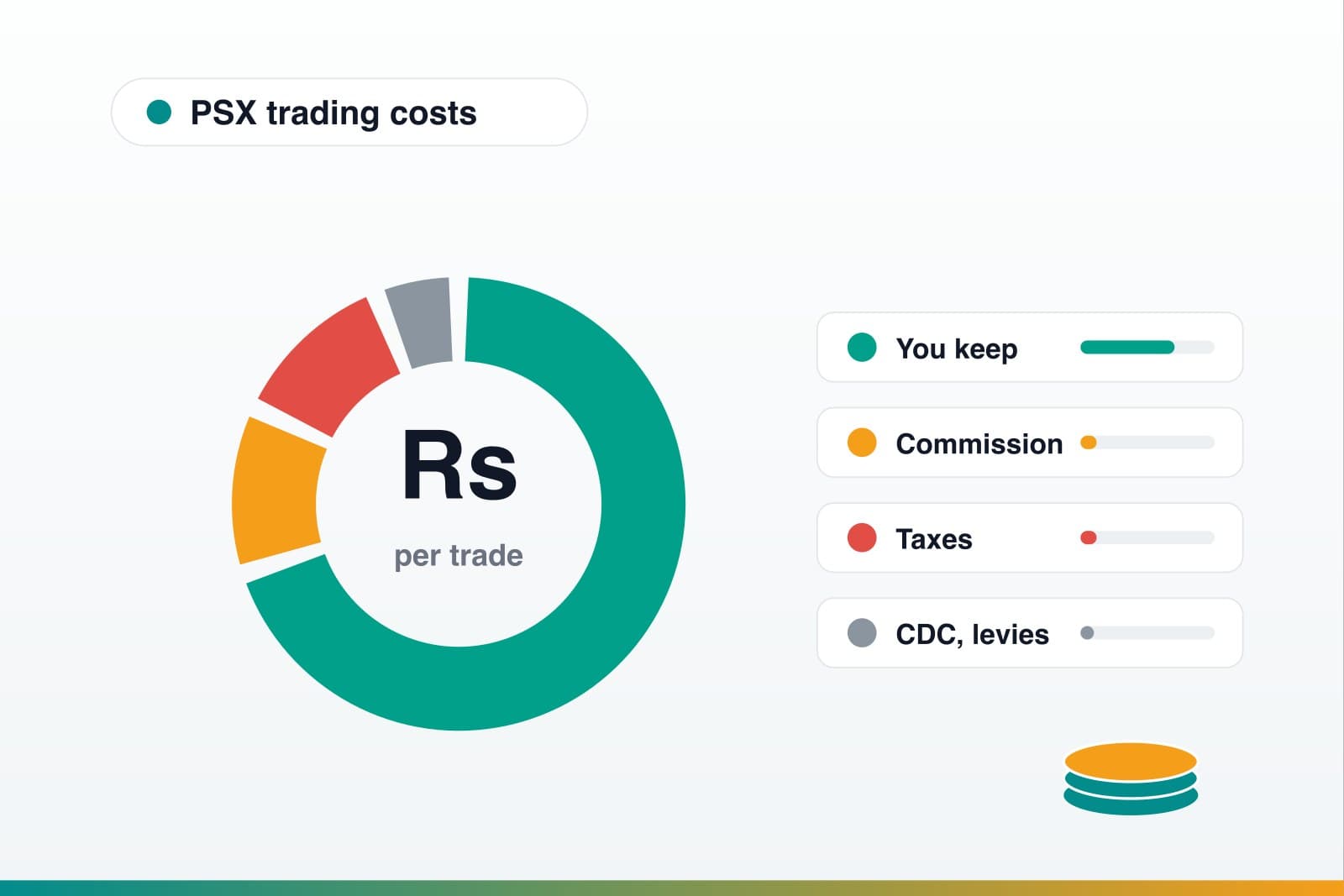
- Fees and commissions: brokerage commission varies by broker, and there are additional regulatory and CDC/NCCPL charges. Ask for the full tariff schedule upfront.
- Account types offered: check whether the broker offers the account type you want, such as Sahulat, standard account, or RDA/REI integration.
- Service and research: look at responsiveness of customer support, availability of research material, and how easily you can reach them.
- Accessibility: for some investors a nearby office still matters, even though most onboarding is now digital.
A practical tip: shortlist two or three firms, talk to each, and compare their tariff sheets and platforms before committing.
Step 2: Complete the account opening form and KYC
Once you have chosen a broker, you complete an account opening application. Historically this was often referred to as the Standardised Account Opening Form (SAOF). Under centralized KYC workflows, the trading account and sub-account information may be captured through a Customer Relationship Form (CRF) together with the NCCPL KYC form. Your broker will guide you through the current forms that apply.
A few important things about KYC on PSX:
- KYC is centralized through NCCPL acting as the CKO. Once your KYC is done and a UKN (Unique KYC Number) is issued, you generally do not need to repeat the full KYC if you later open an account with a different broker.
- Many investors now onboard through digital KYC workflows, including NCCPL's Smart CKO Portal where applicable.
- Biometric verification or other identity verification is a standard part of confirming your identity.
Step 3: Prepare CNIC / NICOP and identity documents
The exact document list varies by broker and account type, so always confirm with your chosen firm. That said, the core items you should expect to provide are:
- CNIC for residents or NICOP/POC for overseas Pakistanis.
- A signature specimen.
- Bank account details in your own name for funding and receiving sale proceeds or dividends.
- Proof of address and contact details, including mobile number and email.
- For a Sahulat account, the documentation set is deliberately lighter.
- For corporate or joint accounts, additional documents such as board resolutions or authorised-signatory details may apply.
One detail that trips people up: your CNIC number, mobile number, email and address must be consistent across the KYC form, CDC records and NCCPL records. Mismatches cause delays, so double-check before submitting.
Step 4: Link your bank account
Your bank account is the financial pipe into and out of your trading account. You link a bank account in your own name so that:
- You can transfer funds to start investing.
- Sale proceeds and dividends can be routed back to you.
Your initial deposit should be made through banking channels, such as transfer or cheque, not cash. This keeps a clean audit trail and aligns with anti-money-laundering requirements. For overseas investors, funding follows the RDA/REI flow through the designated bank and official custody setup.
Step 5: Understand CDC sub-account vs CDC Investor Account
This is where many beginners get confused, so here is the distinction clearly.
- When you open a brokerage account, the form also enables a CDC sub-account under your broker's main participant account. Your purchased shares sit here in electronic form. For most investors, this is all you need.
- A CDC Investor Account, also called IAS, is opened directly with CDC in your own name. It gives you more direct custody control because securities move only on your instructions. It is optional and sits alongside your broker relationship, since you still need a broker to actually trade.
Either way, you will be assigned a UIN by NCCPL, and all your accounts and trades are recorded against it. For a deeper look at the custody layer - including how to verify your shares directly with CDC and what happens if a broker shuts down - see our CDC account guide.
Step 6: Fund your account
Once your account is approved and your UIN is active, you deposit funds to start investing.
Remember:
- Fund through banking channels, not cash.
- For overseas investors, move money through the RDA/Roshan Equity Investment process.
- Keep your deposit confirmations.
- Confirm when funds are reflected before placing orders.
How much you start with is up to you and your chosen account type. The Sahulat account has its own limit; standard accounts have no Sahulat-style ceiling. This guide does not suggest any specific amount to invest.
Step 7: Place your first real order through your broker
With a funded account, you can place buy and sell orders through your broker: either by instructing them directly or, far more commonly today, through the online trading platform or app your brokerage provides.
A few habits worth building from day one:
- After every executed trade, make sure you receive a Trade Confirmation from your broker.
- PSX trades generally settle through NCCPL, so cash and shares are not always instant in the way beginners expect.
- Request periodic account statements from your broker.
- Request or review CDC sub-account statements so you can independently verify holdings and balances.
- Keep an eye on NCCPL, CDC and broker SMS/email alerts for activity linked to your UIN.
Use Investify for your daily PSX workflow
Open market data, stock pages, charts, news, announcements, watchlists and portfolio tracking from one Investify account.
See how Investify fits with your brokerAfter your account is open: where Investify fits in
Here is the important boundary to keep straight: real orders are always placed through your licensed broker. Investify does not execute PSX trades. What Investify does is sit alongside your broker account as your research and tracking companion, so you can make calmer, better-informed decisions.
Once your broker account is live, you can use Investify to:
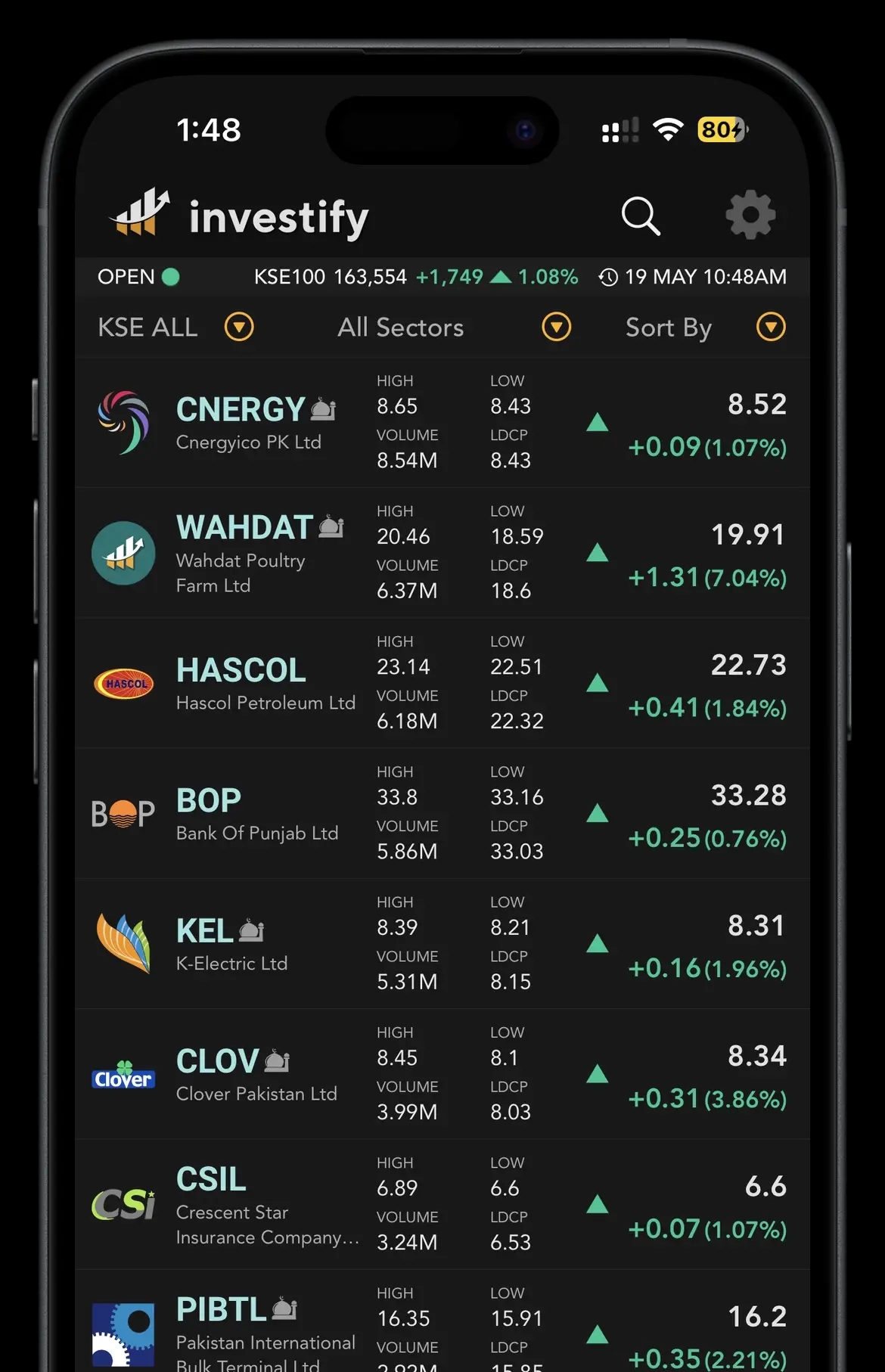
- Watch the PSX market: follow index levels, sectors and how the broader market is moving during the trading day.
- Study stock pages: open a company's page to see its price action, history and key data in one place. For example, you might pull up an index heavyweight like OGDC to read its page and chart before deciding anything with your broker. This is purely an illustrative example, not a suggestion to buy or sell it.
- Read charts: review price charts to understand trends and context instead of trading on rumour.
- Build watchlists: keep a curated list of the companies and sectors you are following.
- Track your portfolio: monitor what you hold and how it is performing over time.
- Follow news and announcements: stay on top of company announcements, results and market news that can move prices.
The workflow that works well in practice: research and monitor on Investify, then place the actual order on your broker's platform. The two complement each other.
A realistic account-opening checklist
Use this as a working checklist. Exact requirements vary by broker, so treat it as a starting point and confirm specifics with your chosen firm.
- Decide your route: Sahulat, standard, or RDA/Roshan Equity Investment.
- Shortlist 2-3 licensed TREC-holder brokers and compare platforms, tariffs and service.
- Confirm the broker offers your chosen account type and supports online onboarding if you want it.
- Gather documents: CNIC/NICOP, signature specimen, bank details, proof of address, valid mobile and email.
- Ensure your CNIC, mobile, email and address match across KYC, CDC and NCCPL records.
- Complete the account opening form + KYC, reading and signing carefully.
- Complete biometric or identity verification where applicable.
- Confirm your CDC sub-account is enabled; decide if you also want a CDC Investor Account.
- Obtain your UIN and your Client Identification Number.
- Link your bank account and fund through banking channels, not cash.
- Log in to your broker's trading platform, place a small first order, and confirm you receive a Trade Confirmation.
- Set up Investify to watch the market, build a watchlist and track your portfolio alongside your broker account.
Common mistakes to avoid
- Trading through unlicensed channels: if a manager wants to trade your money outside a proper account in your own name, walk away. Stick to licensed TREC holders.
- Mismatched personal details: different spellings, an old mobile number or an outdated address across KYC, CDC and NCCPL records cause frustrating delays.
- Signing forms blindly: do not sign blank or partially completed forms, and do not skip the terms and conditions.
- Funding with cash: keep funding through banking channels so there is a clean trail.
- Opening the wrong account type: choosing a Sahulat account and then hitting its ceiling, or trying to open more than one Sahulat account with the same broker, means re-doing paperwork.
- Confusing research apps with brokers: a market-data and tracking app like Investify is not where orders execute. Your broker's platform is.
- Ignoring statements and confirmations: always get and check trade confirmations, broker statements and CDC sub-account statements.
- Forgetting the tax and filer angle: filer/non-filer status can affect taxes and charges. Confirm current rates with official sources or a qualified tax professional.
Costs, taxes and filer status
Trading on PSX involves several charges: brokerage commission that varies by broker, plus CDC and NCCPL charges, applicable taxes on brokerage, and Capital Gains Tax (CGT) on profits from selling shares where applicable. CGT and tax treatment can change through finance acts and official notices, so confirm the current figures from NCCPL, FBR or a qualified tax professional rather than relying on old numbers.
One practical point investors often miss: shares held in your CDC account may need to be reflected in your wealth/tax documentation depending on your situation, and CGT deducted by NCCPL may still need to be reported properly. Treat this paragraph as a prompt to check with a professional, not as tax advice.
The bottom line
Opening a PSX trading account comes down to a clear sequence: pick the right account type for your situation, choose a licensed broker, complete KYC and identity verification, get your CDC sub-account and UIN, link a bank account, fund through proper channels, and place your first order on the broker's platform. Once that foundation is in place, Investify becomes your day-to-day companion for watching the market, researching stock pages and charts, tracking your portfolio, and staying on top of news and announcements while your broker remains the place where trades actually happen.
Related reading
Sources and references
- PSX - How To Open A Brokerage Account
- PSX - Open An Account & Invest
- PSX - Account Opening Checklist
- PSX - Secure Your Account
- PSX - Online Account Opening
- PSX - Investor Awareness Guide
- PSX - Sahulat Account
- PSX - Sahulat Account Reforms Notice N-374
- PSX - Roshan Equity Investment for NRPs
- NCCPL - NCC Smart CKO Portal
- NCCPL - NCC Smart CKO Portal FAQs
- CDC - FAQs on the CKO Regime
- CDC - Opening & Updating Sub-Accounts in CDS
- SECP - Securities & Exchange Commission of Pakistan